Generate your perfect LinkedIn post in 4 simple steps
I have tested a lot of AI writing tools, but this one is the first that feels like it actually thinks like me. You do not need to be a copywriter or a marketer to create quality LinkedIn posts.
Below are the steps that allowed me to change an idea into scroll-stopping content in less than five minutes.
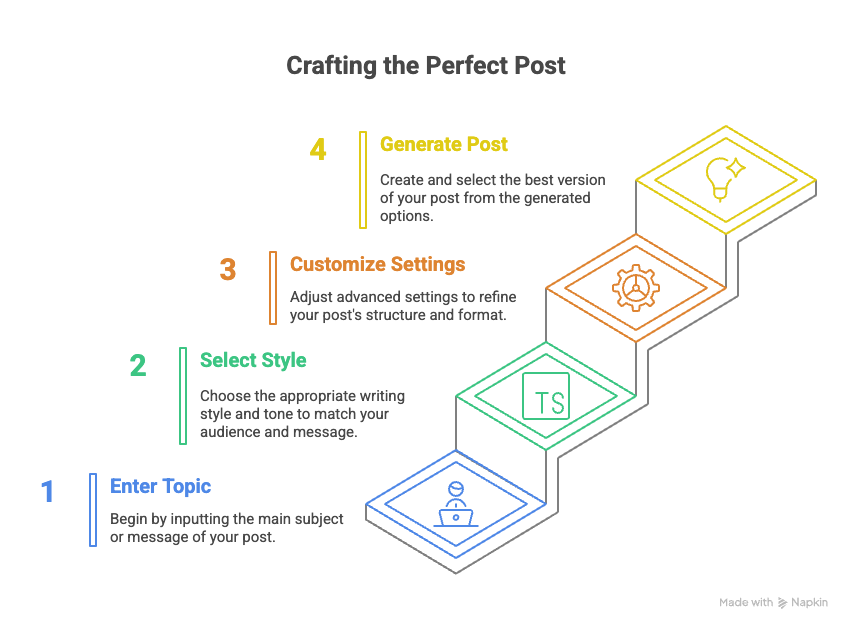
{{post-card}}
5 Benefits of using Taplio’s LinkedIn post generator
A LinkedIn post AI generator is like your personal writing assistant. It uses GPT-based models. Instead of staring at a blank page, you get a tailored draft instantly.
According to Contentdrips, posts with proper formatting, including clear hooks, line breaks, and bullet points, see up to 40% more engagement than plain text posts.
Here’s what Taplio helps me achieve:
- Saves hours each week on content creation, writing and editing
- Helps me stay consistent with my content calendar
- Suggests engaging hooks and formats from the LinkedIn post creator
- Lets me test multiple tones quickly (casual, expert, bold)
- Keeps my posts within LinkedIn’s character and formatting rules
Writing manually takes time. AI helps me move faster without losing personality.
{{expert-1}}
Want to try Taplio? Sign up here (it’s free).
My 2 advanced tips that doubled my LinkedIn engagement
AI can write a great post, but it’s what you do after that makes it work. I have tested, tracked, and changed my LinkedIn content strategy over months. These are the two biggest levers that moved the needle for me in terms of visibility and engagement.
Time your posts for maximum visibility and engagement
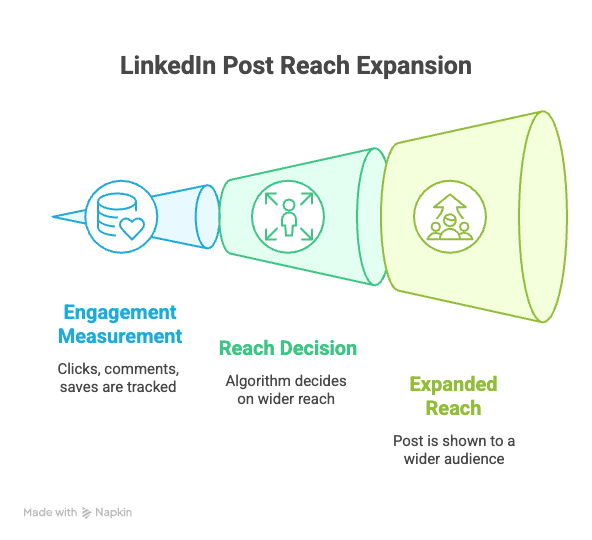
The LinkedIn algorithm does not show your post to everyone at once. It tests it with a small group (your direct network). Then it measures how your audience engages: clicks, comments, saves, and decides if it deserves a wider reach (level 2: the network of your network, and so on). That’s why timing matters in any social media strategy.
I have found that posting between 8–9 a.m. on weekdays works best, especially Tuesday and Wednesday. But it’s not just the posting time. Posts with 2–3 targeted hashtags, a proper hook, and a simple engagement question like “Have you tried this?” tend to gain more reactions and comments. The goal is to create a real conversation that builds your brand presence.
Create 30 posts in 2 hours with batch generation
This was a game changer for my content creation workflow. I block off 2 hours, open Taplio, and use batch generation to create 10 AI-generated posts drafts based on my current themes. Then I fine tune the writing style, adjust CTA’s, and schedule everything using the built-in calendar.
This workflow lets me stay consistent and maintain content quality, without sacrificing my authentic voice or the tone that resonates with my professional audience.
{{expert-2}}
Create LinkedIn posts manually when AI isn’t enough
Sometimes, AI doesn’t hit the right tone. Or you’ve got something too personal or nuanced to delegate. That’s when I switch gears and go manual, with a little help from the right tools.
Here’s what works for me when I want full control over my LinkedIn content creation:
- I use Taplio’s LinkedIn post examples to see what formats catch the most, and what ideas are performing well right now. It’s a LinkedIn content generator library of proven engagement strategies.
- When I need inspiration, I open Taplio’s content idea feed. It pulls real-time viral posts and industry-specific trends, which helps me write with more confidence, even when I’m short on creative direction.
- I follow a simple writing framework: Hook → Story → Insight → CTA. It keeps things structured and focused, whether I’m creating a personal story or a marketing-style post.
- And when I want to save time but still sound like me, I take a hybrid approach. I generate a draft in Taplio, then rewrite the parts that need more personality or brand voice consistency. Best of both worlds.
Writing manually gives you creative control. But with the right social media tools and a bit of structure, it doesn’t have to slow you down, or sacrifice content quality.